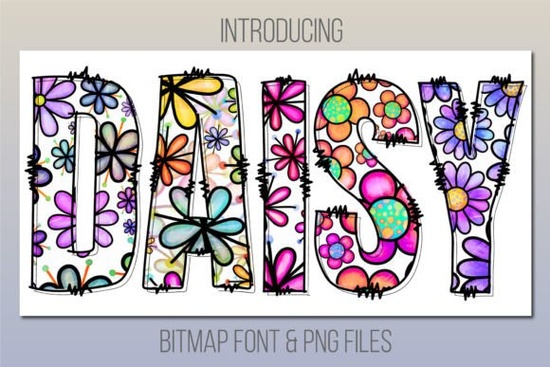
If you're looking for a cheerful, hand-drawn color font that adds instant warmth and charm to greeting cards, social media graphics, or kids’ activity sheets, the Daisy Font is a natural fit. It’s not a sleek minimalist typeface it’s a friendly daisy print color font designed to feel light, playful, and inviting. Think birthday banners, baby shower invites, or cheerful shop signage where personality matters more than polish.
What makes Daisy Font different from regular fonts?
Unlike standard OpenType fonts, Daisy is a color font specifically a bitmap-based color font. That means each character includes built-in color, texture, and subtle shading, like a tiny illustrated stamp. You don’t need to layer effects or add outlines manually. Just type, and the daisies appear complete with soft petals, gentle gradients, and a handmade feel.
This also means compatibility is specific. Daisy works in:
- Adobe Photoshop CC 2017 or newer
- Adobe Illustrator CC 2018 or newer
- Adobe InDesign CC 2019 or newer
- macOS apps: Font Book, Pages, and Keynote
It does not work in Cricut Design Space so if you’re planning to cut vinyl or iron-on transfers directly from the font, you’ll want to use the included PNG files instead (more on those below). If you're using older versions of Adobe software or Windows-only apps like Canva or Silhouette Studio, the font won’t activate but again, the bonus PNGs give you full flexibility.
What’s included in the download?
When you get Daisy Font from Creative Fabrica, you receive:
- The color font file (.OTF) for compatible programs
- A full set of high-res PNGs (transparent background, 300 DPI), sized for both digital and print use
- Character map PDF showing all letters, numbers, and punctuation
- Basic usage tips especially helpful if you're new to color fonts
The PNGs are especially handy if you're designing in Canva, Procreate, or even PowerPoint. You can drag and drop them like images, resize without quality loss (within reason), and layer them over photos or textured backgrounds.
Who is this font best for?
Print-on-demand sellers often use Daisy Font for whimsical mugs, tote bags, and nursery art its organic shape stands out nicely against solid colors or watercolor backdrops. Crafters love it for printable party kits, scrapbook elements, or custom stickers. And small business owners (think bakeries, boutiques, or yoga studios) find it works well for seasonal promotions think “Spring Sale!” or “Hello, Summer!” where friendliness and approachability matter.
It pairs naturally with other relaxed, joyful fonts. For example, if you’re building a cohesive brand kit, you might pair Daisy with something clean and readable for body text like the Groovy Crayon Font, which shares a similar playful energy but offers more versatility for longer phrases. Or, if you’re exploring more floral-themed options, the Daisy Font itself fits right into that category alongside others like Wildflower Script or Petal & Ink.
Real-world tips before you start designing
• Test first: Open the font in Font Book (Mac) or your design app before committing to a full layout. Make sure your software version supports color fonts look for the rainbow icon next to the font name in Photoshop or Illustrator’s Character panel.
• Size matters: Because it’s bitmap-based, Daisy looks best at medium to large sizes (24pt and up in layout apps; 500px+ when using PNGs). Avoid scaling it extremely small details like petal edges may blur.
• Keep contrast in mind: Since the daisies are light-colored with soft edges, they stand out best on darker or muted backgrounds not white or very light pastels unless you add a subtle shadow or outline.
• Use the PNGs for flexibility: Even if your main tool supports the font, having the PNGs lets you quickly mock up designs in tools like Figma or Google Slides no installation needed.
If you’ve used Daisy Font in a project, you’ll likely notice how little extra styling it needs. No drop shadows, no stroke effects just type and go. That simplicity saves time, especially when juggling multiple client requests or seasonal product launches. And because it’s made by designers for real workflows not just visual flair it holds up across formats and use cases without surprises.
Before downloading Daisy Font, double-check:
- Your design software is on a supported version (Photoshop CC 2017+, Illustrator CC 2018+, etc.)
- You’re on macOS or using one of the listed Adobe apps
- You’ve reviewed the PNG alternatives they’re fully usable even if the font doesn’t load
- You’re not relying on Cricut Design Space for direct text input
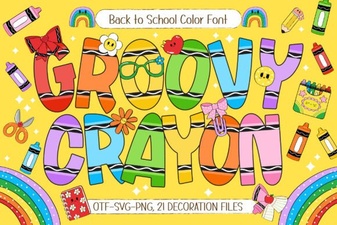 Groovy Crayon Font: Creative Typography & Projects
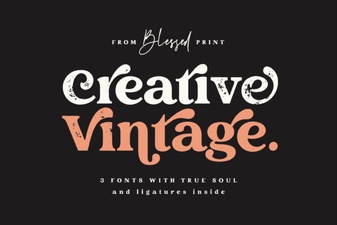 Classic Vintage Fonts for Creative Design Projects
 Steel Font Design for Bold Digital Interfaces
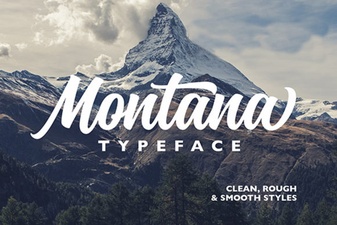 Montana Font Style for Modern Projects
 Ourstory Font Duo: Creative Pairings for Web Projects
 Legacy College Font: Design Tips & Project Ideas